Download Samsung F05 5G Test Point & FRP Remove Guide (FRT Tool Pro v1.7.0)
| Views: 17 | Basic | |
Download Samsung F05 5g Test Point Frp Remove Guide Frt Tool Pro V1.7.0 Step
Step-by-step guide to bypass FRP on Samsung Galaxy F05 (SM-E055F) Android 16. Use the latest MTK Brom exploit and FRT Tool Pro v1.7.0 with our test point image.
Samsung F05 (SM-E055F) Android 16 FRP Remove via MTK Brom
If you have forgotten your Google account credentials after a factory reset, you can bypass the FRP (Factory Reset Protection) lock on the Samsung Galaxy F05 (SM-E055F) using the advanced MediaTek Brom method. This guide utilizes the FRT Tool Pro Latest Version v1.7.0 to unlock the device without needing paid tools or complex APK bypass methods.
| File Name: | Samsung_F05_SM-E055F_FRP_Unlock_Package_FRT_Pro.zip |
|---|---|
| Model: | Samsung Galaxy F05 5G (SM-E055F) |
| Chipset (CPU): | MediaTek Helio G85 (MT6769) |
| Operation: | FRP Remove / Google Account Bypass |
| Android Version: | Android 16 (Latest Security) |
| Method: | MTK Brom Exploit (Test Point) |
| Required: | FRT Tool Pro v1.7.0 (or latest) |
| File Size: | Approx. 24 MB |
| Drivers Required: | Samsung USB Drivers, MediaTek VCOM Drivers, LibUSB Filter |
Download Requirements
Before proceeding, ensure you have the necessary files and drivers installed on your PC.
- Samsung USB Drivers: Essential for the PC to recognize your device.
- MediaTek (MTK) VCOM Drivers: Required for Brom mode communication.
- FRT Tool Pro v1.7.0: The software used to execute the exploit.
You can download the tool directly from here: Download FRT Tool Pro Latest Version
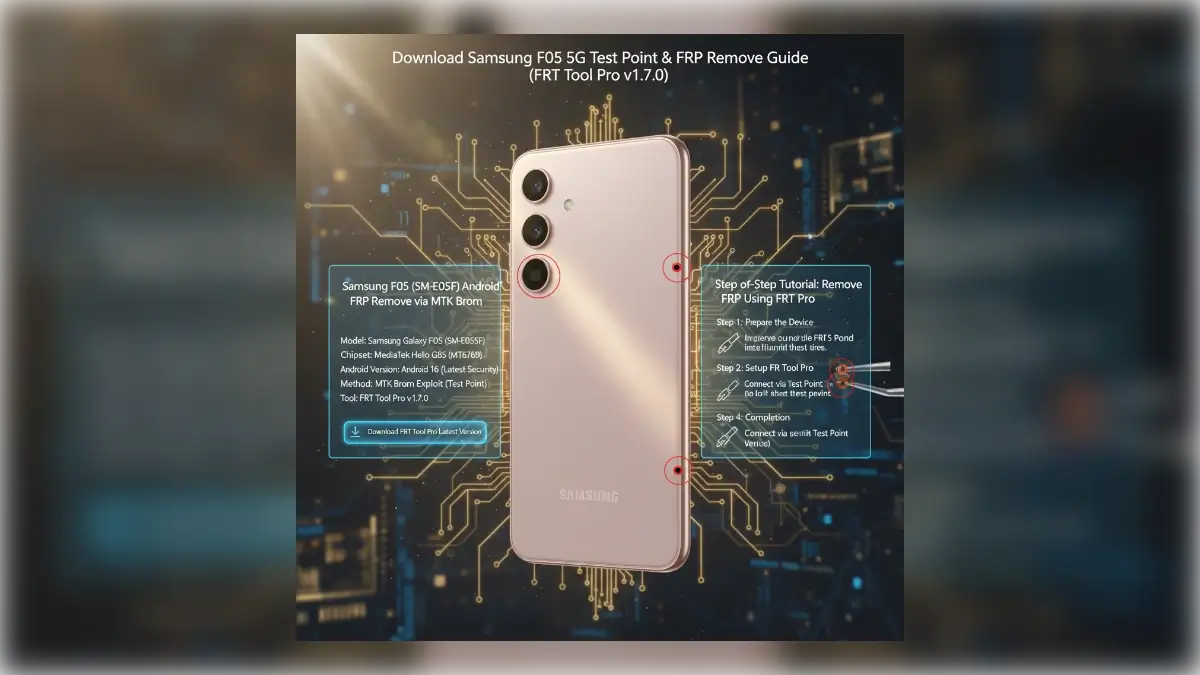
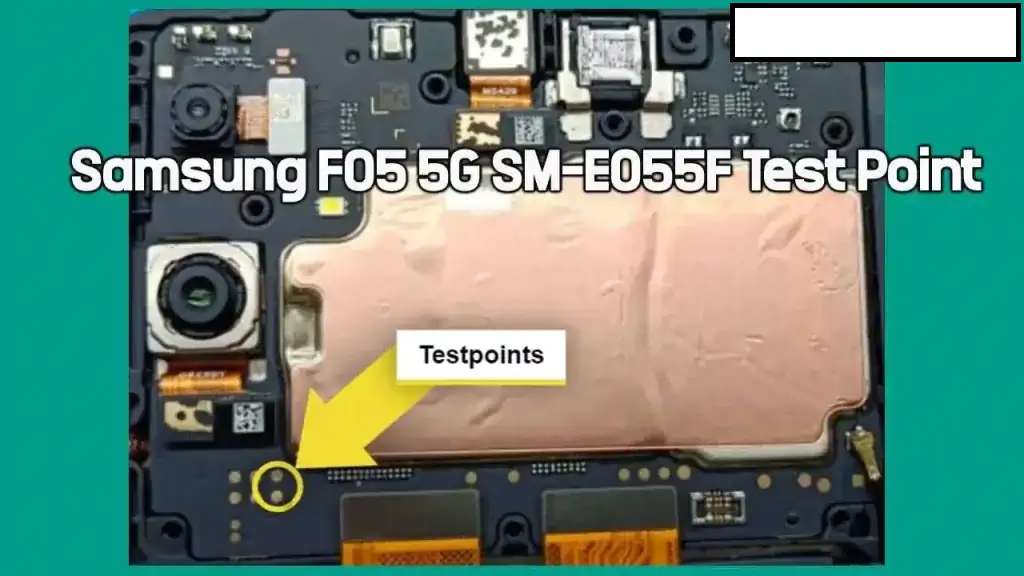
Samsung F05 (SM-E055F) Test Point Image
To enable the MTK Brom Mode, you must short specific hardware points on the motherboard. This requires disassembling the back cover of the phone.
Step-by-Step Tutorial: Remove FRP Using FRT Tool Pro
Follow these steps carefully to unlock your device. Ensure your battery is charged at least 50%.
Step 1: Prepare the Device
- Power off your Samsung F05 completely.
- Open the back panel of the device carefully to access the motherboard.
- Disconnect the battery connector for 5 seconds, then reconnect it.
Step 2: Setup FRT Tool Pro
- Download and extract FRT Tool Pro v1.7.0.
- Run the setup file as Administrator.
- Go to the “MediaTek” or “Samsung” tab.
- Under the “Functions” or “BROM” section, select “Erase FRP” or “Samsung FRP (Brom)”.
- In the Model dropdown (if available), select Samsung Galaxy F05 or choose “Generic MTK”.
Step 3: Connect via Test Point
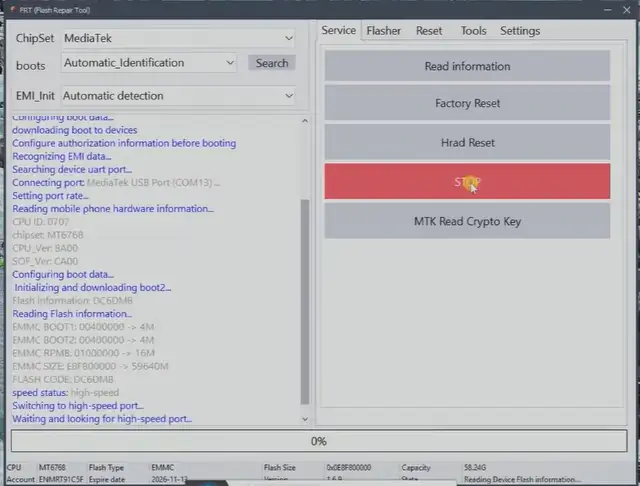
- Click the “Start” button on the FRT Tool Pro.
- Using metal tweezers, short the Test Point (shown in the image above) to a Ground (any metal part of the frame).
- While holding the short, connect the USB Cable from the PC to the phone.
- The tool should detect the device as “MediaTek USB Port” or “Preloader VCOM”.
- Once detected, release the test point immediately.
Step 4: Completion
The tool will now initialize the Brom exploit and reset the FRP partition. You will see a progress bar. Once it reaches 100% and shows “Operation Finished” or “FRP Reset Success”:
- Disconnect the USB cable.
- Reconnect the battery connector firmly.
- Power on the device.
- Setup your phone normally; the “Verify Google Account” screen will be gone.
Troubleshooting
If the tool fails to detect the phone:
- Reinstall the LibUSB Filter drivers.
- Ensure the test point is shorted correctly to the ground.
- Try a different USB cable or USB port on your PC.
- Restart your PC and try again.