Samsung A15 (SM-A156E) Android 16 FRP Reset: Single Click MTP Tool
| Views: 23 | Basic | |
Samsung A15 Sm A156e Android 16 Frp Reset Single Click Mtp Tool Feature
One-click FRP solution for Samsung Galaxy A15 5G (SM-A156E) running Android 16. Use FRT Tool Pro in MTP mode—no test point or disassembly required.
Samsung A15 (SM-A156E) Android 16 FRP Reset: Single Click MTP Method
The Samsung Galaxy A15 5G (SM-A156E) with the latest Android 16 security patches can now be unlocked easily using the MTP Port Method. Unlike older methods that required opening the phone for a Test Point connection, this new feature in FRT Tool Pro allows you to remove the Google FRP lock with a Single Click via the USB cable.
| File Name: | Samsung_F05_SM-E055F_FRP_Unlock_Package_FRT_Pro.zip |
|---|---|
| Model: | Samsung Galaxy A15 5G (SM-A156E) |
| Chipset (CPU): | MediaTek Dimensity 6100+ |
| Operation: | FRP Reset / Remove Google Lock |
| Android Version: | Android 16 (Latest Security Patch) |
| Method: | MTP Port (Single Click) - No Test Point Needed |
| Required: | FRT Tool Pro v1.7.0 (or latest) |
| File Size: | Approx. 24 MB |
| Drivers Required: | Samsung USB Drivers |
| Rating: |
Why Use the MTP Method?
- No Disassembly: You do not need to open the back cover or remove the battery.
- No Test Point: No need to short circuits on the motherboard.
- Fast: The process typically takes less than 1 minute.
- Safe: No risk of hardware damage.
Requirements
- Tool:FRT Tool Pro v1.7.0 (or newer).
- Drivers:Samsung USB Drivers installed on your PC.
- Cable: A good quality USB Type-C cable.
- Phone Status: Powered ON and stuck on the “Welcome” or “Wi-Fi” screen.
Download the tool here: Download FRT Tool Pro Latest Version
Step-by-Step Guide: Samsung SM-A156E Single Click FRP
Step 1: Connect to PC
- Power on your Samsung Galaxy A15 5G.
- Connect it to your PC using the USB cable.
- Ensure the PC detects the device (you should see it in Device Manager under “Modems” or “Portable Devices”).
Step 2: Activate Test Mode
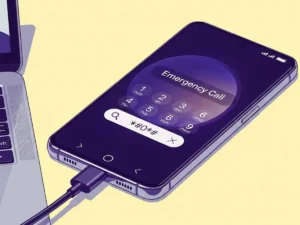
- On the phone’s “Welcome” screen, tap the “Emergency Call” button.
- The dialer will open. Type *#0*#
- The phone should enter the hardware test menu (Screen will show blocks for Red, Green, Blue, etc.). Note: Keep the screen on.
Step 3: Run FRT Tool Pro
- Open FRT Tool Pro as Administrator.
- Go to the “Samsung” tab.
- Under the “Functions” or “MTP” section, look for “Remove FRP (Security 2024/2025)” or “Enable ADB (New Method)”.
- Click the button.
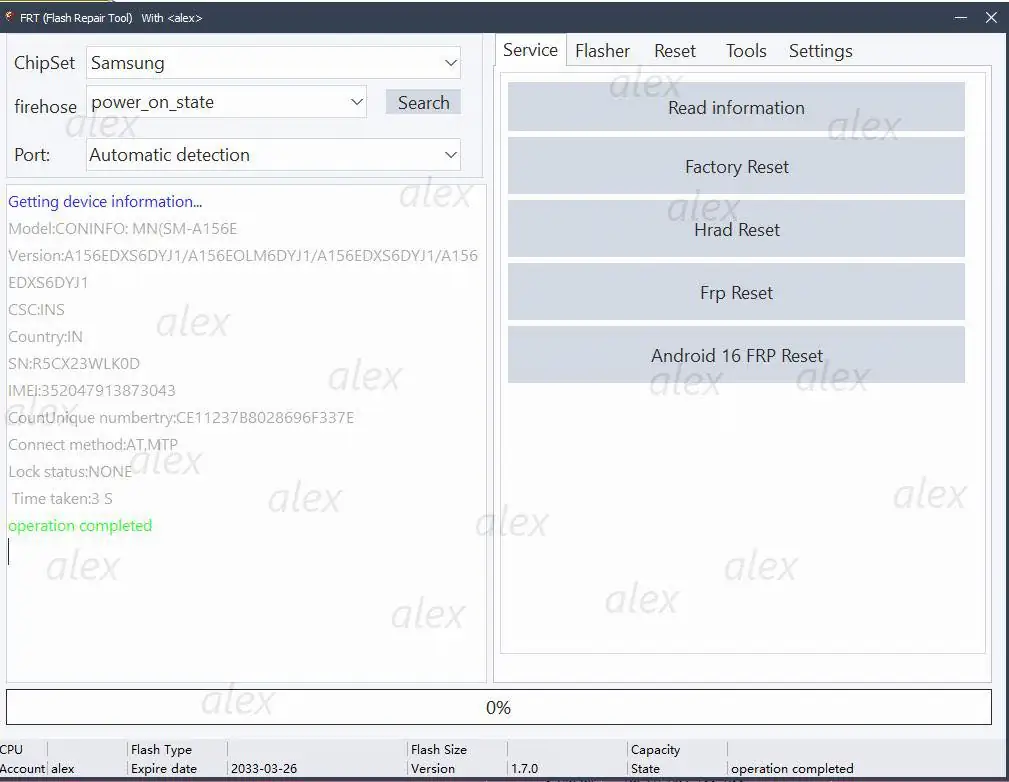
Step 4: Allow USB Debugging
The tool will send a command to the phone.
- Watch your phone screen. A popup will appear asking to “Allow USB Debugging?”.
- Check the box “Always allow from this computer” and tap “Allow”.
Step 5: Final Reset
Once you tap Allow, the tool will automatically detect the ADB connection and send the reset command. The phone will reboot automatically.
Success! Your Samsung A15 5G (SM-A156E) is now unlocked. You can disconnect the cable and set it up without any Google Account.
Troubleshooting
Test Mode (*#0*#) not working?
If the menu doesn’t appear, your Android 16 security patch might have blocked this code. In that case, use the “Samsung Server FRP” option in FRT Tool Pro (if available) or revert to the MTK Brom Test Point method detailed in our other guides.