Samsung SM-A055M FRP Unlock: Test Point & FRT Tool Pro Guide
| Views: 25 | Basic | |
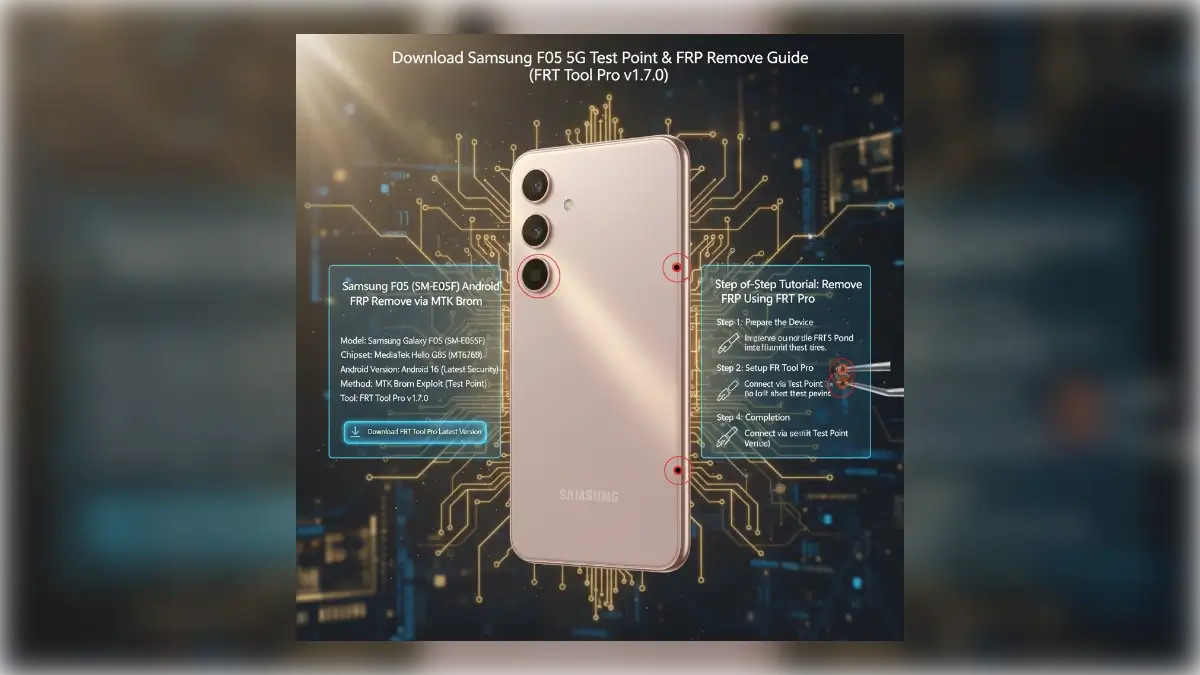
Samsung Sm A055m Frp Unlock Test Point Frt Tool Pro Guide
Stuck on the Google Verification screen? Download the Samsung A055M Test Point image and unlock FRP instantly using FRT Tool Pro. No Alliance Shield X needed.
Samsung A05 (SM-A055M) FRP Remove via MTK Brom Test Point
If you have reset your Samsung Galaxy A05 (SM-A055M) and are stuck on the Google Account Verification screen, you can bypass this lock using the MTK Brom (Test Point) method. Since the SM-A055M is powered by a MediaTek Helio G85 processor, we can use the FRT Tool Pro to reset the FRP partition directly, skipping the need for older, patched APK methods.
| File Name: | Samsung_A05_SM-A055M_FRP_Remove_Package.zip |
|---|---|
| Model: | Samsung Galaxy A05 (SM-A055M) |
| Chipset (CPU): | MediaTek Helio G85 (MT6769) |
| Operation: | FRP Remove / Google Account Bypass |
| Android Version: | Android 14 / 15 (Latest Security) |
| Method: | MTK Brom Exploit (Test Point) |
| Required: | FRT Tool Pro v1.7.0 (or latest) |
| File Size: | Approx. 24 MB |
| Drivers Required: | Samsung USB Drivers, MediaTek VCOM Drivers, LibUSB Filter |
Required Downloads
To successfully perform this operation, you need the correct drivers and the flashing tool installed on your Windows PC.
- Samsung USB Drivers: Allows the PC to communicate with the phone.
- MediaTek (MTK) VCOM Drivers: Essential for detecting the phone in Brom mode.
- LibUSB Filter: Often required to install a filter on the MTK port.
- FRP Tool: We recommend using the latest FRT Tool Pro.
You can get the tool here: Download FRT Tool Pro Latest Version
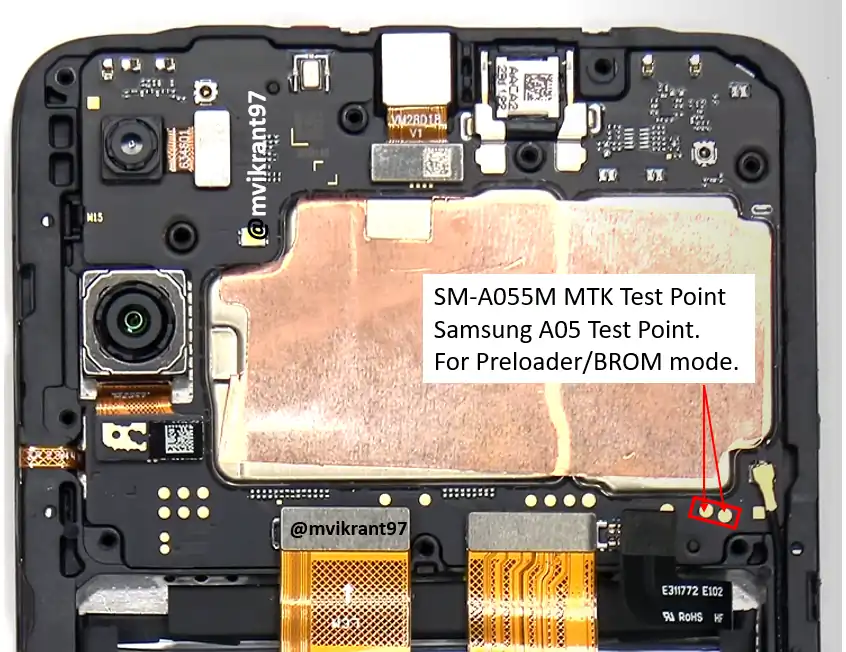
Samsung A05 (SM-A055M) Test Point Image
Because the bootloader is locked, we must use the Test Point method to force the device into Brom Mode. This requires carefully removing the back cover of the phone to access the motherboard.
Step-by-Step Guide: Unlock FRP on SM-A055M
Warning: Proceed with caution. We are not responsible for any damage caused by hardware disassembly.
Step 1: Preparation
- Power off the Samsung A05.
- Remove the SIM tray and carefully pry open the back cover.
- Unscrew the motherboard shield to expose the Test Points.
- Disconnect the battery connector for safety, then reconnect it.
Step 2: Configure FRT Tool Pro
- Open FRT Tool Pro as Administrator.
- Navigate to the “MediaTek” or “Samsung” tab.
- Select “Erase FRP” (sometimes labeled “Samsung Brom FRP”).
- If a model list is present, choose Samsung A05 (SM-A055M). If not, “Generic MTK” usually works.
Step 3: Connect and Reset
- Click the “Start” button on the software.
- Use tweezers to short the Test Point to the Ground (Metal Shield).
- While holding the tweezers in place, connect the USB Cable to the phone.
- The software should detect the device (e.g., “MediaTek USB Port (COMx)”).
- Remove the tweezers once the detection bar loads.
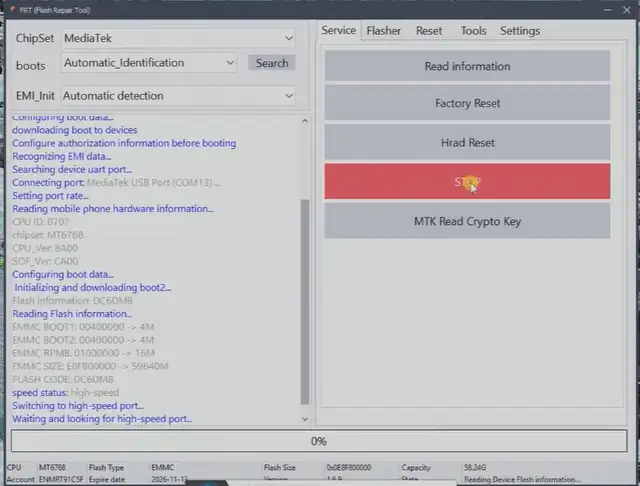
Step 4: Finalizing
The tool will send the payload and reset the FRP partition. Once you see “Erase FRP OK” or “Success”:
- Unplug the device.
- Disconnect and reconnect the battery one last time.
- Power on the phone.
- Complete the setup wizard; the “Skip” button will now be available on the Google Account screen.
Troubleshooting Tips
- Phone vibrates/reboots? The test point was not held long enough, or the drivers are missing. Reinstall VCOM drivers.
- Connection failed? Try using a different high-quality USB cable or a different USB port.
- Driver error? Use the “LibUSB Filter” tool to install a device filter on the MediaTek port while the phone is connected in Brom mode.