Download Qcom Mtk Driver Setup (All Versions) – Latest v4.0.1.6
| Views: 177 | Basic | |

Download Spd Drivers 100 Tested Unisoc Latest R4.20.4201
Download the latest Qcom Mtk Driver Setup (v4.0.1.6 & v3.2.1). This all-in-one installer package contains the latest drivers for Qualcomm (EDL) and MTK (VCOM).
Installing the correct drivers for both Qualcomm and MediaTek can be confusing. The Qcom Mtk Driver Setup is a powerful all-in-one installer that bundles all necessary drivers for both chipsets into one simple package.
This driver is essential for any technician or user who works with multiple phone brands. It ensures that your PC can correctly detect devices in Qualcomm EDL mode (9008) and MediaTek BROM mode (VCOM) for tools like the FRT Tool Pro. This post provides the latest version v4.0.1.6 and all older versions.
Download Qcom Mtk Driver Setup (All Versions)
We provide the latest version (v4.0.1.6) for all new devices, as well as older stable versions (v3.2.1) for maximum compatibility.
| File Name: | QcomMtk_Driver_Setup_4.0.1.6.exe |
|---|---|
| Version: | v4.0.1.6 (Latest) |
| Status: | 100% Tested |
| File Size: | 51 MB |
| Compatible OS: | Windows 7, 8, 10, 11 (32-bit & 64-bit) |
| Password: | frttoolpro.com |
| Rating: |
1. QcomMtk_Driver_Setup_4.0.1.6.exe (Latest Version)
This is the newest release, recommended for all modern Windows 10 & 11 PCs and new phone models.
What is the Qcom Mtk Driver Setup?
This is a time-saving installer that bundles all drivers for the two most popular mobile chipsets. By installing this one file, your PC will be able to recognize:
- Qualcomm Devices: In Emergency Download Mode (QDLoader 9008), Fastboot, and ADB mode.
- MediaTek (MTK) Devices: In BROM mode (VCOM Port, Preloader), and ADB mode.
This package prevents driver conflicts that often happen when installing many different driver packs manually. It’s the perfect “first step” before using any flashing tool.
How to Install Qcom Mtk Driver Setup
Follow these steps correctly to avoid any issues.
- (Crucial Step) Uninstall Old Drivers: Before installing, go to “Control Panel” > “Add or Remove Programs” and uninstall any old versions of “Qualcomm Driver,” “MTK Driver,” or “QcomMtk Driver” to prevent conflicts.
- Download & Extract: Download the version you need (latest recommended) from the buttons above. Extract the
.zipfile if needed. - Run as Admin: Right-click on the
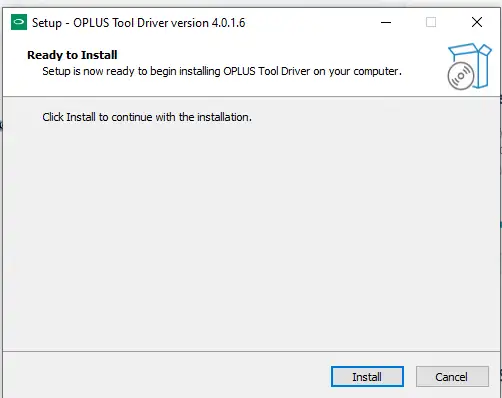
.exefile (e.g.,QcomMtk_Driver_Setup_4.0.1.6.exe) and select “Run as administrator”. - Follow the Wizard: A setup wizard will guide you through the installation. Click “Next” and “Install” until it is finished.
- Restart Your PC: This is the most important step. After the installation is complete, restart your computer.
After your PC restarts, it is now ready to detect both MTK and Qualcomm devices for any repair or flashing task with the FRT Tool Pro.